Every piece, tracked from order to loading bay
One scan at a time, your factory floor and your retailers see the same thing. No chasing, no guessing, no phone calls.


Follow one order from the moment it lands to the moment it leaves
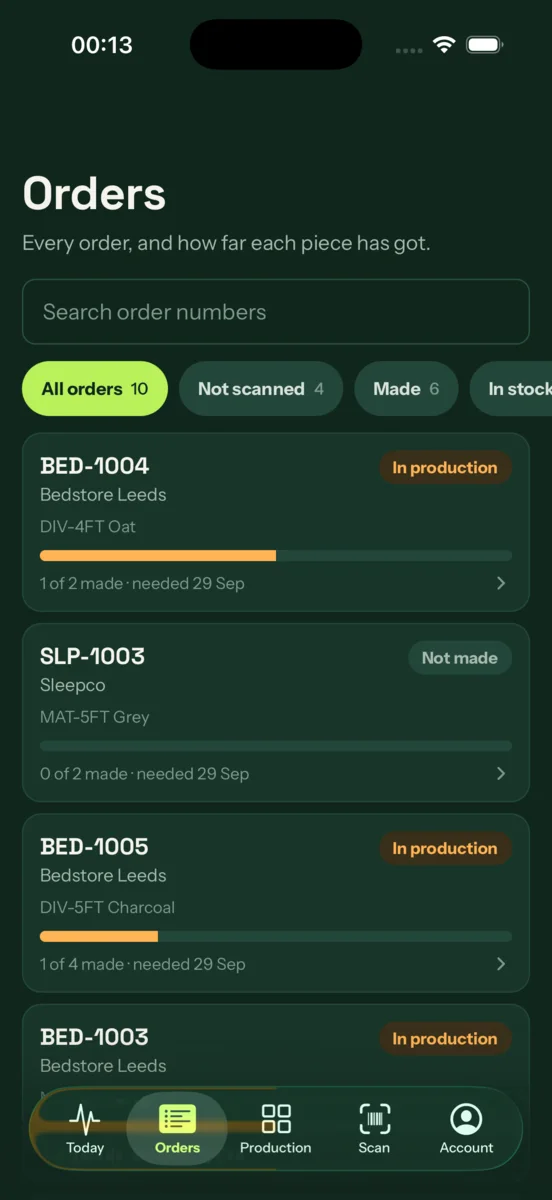
- Order comes inA retailer sends an order. It lands in Skuflo with every piece counted.Orders, iPhone
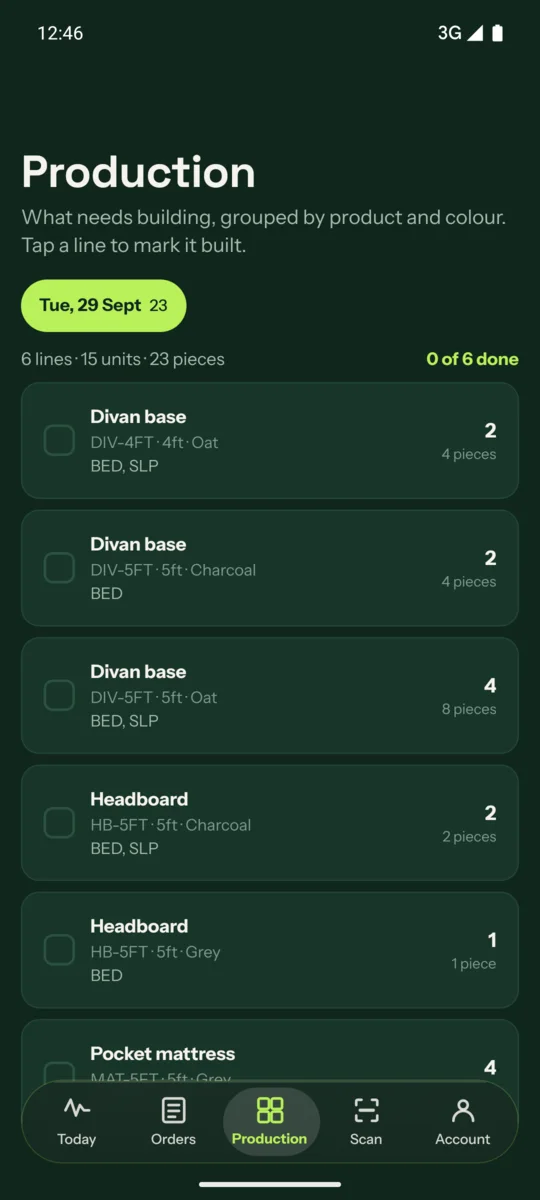
- Production list builtSkuflo builds the day’s list for the factory, grouped by product and colour.Production
- Label printedEvery piece gets its own label, with the order, the product and the piece number.Label
- Scanned as made, into stock or loadedScan the label at the workstation, the rack or the loading bay. The order moves on.Scan station
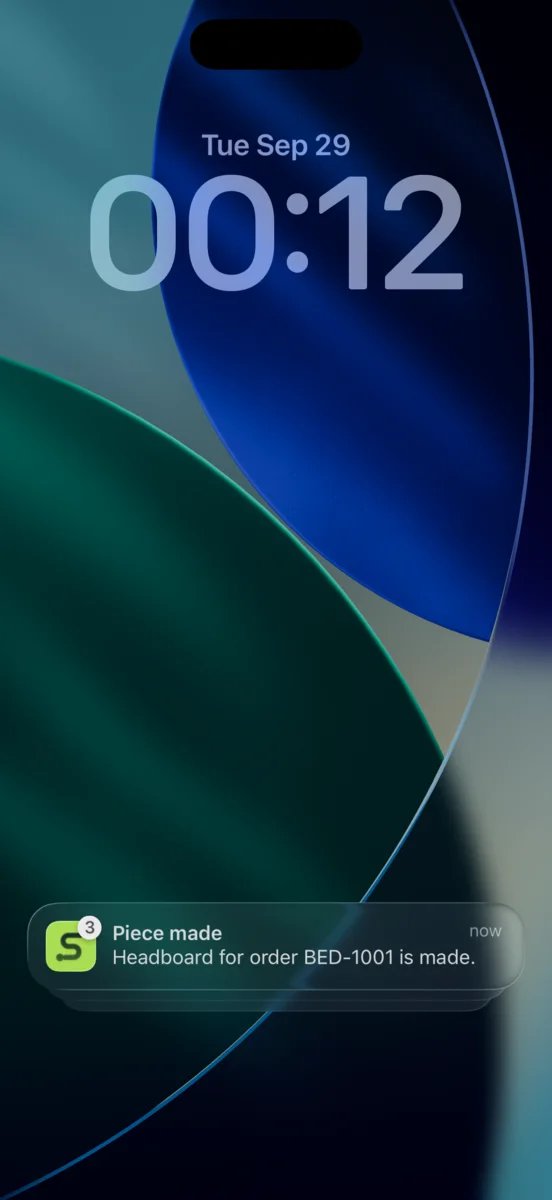
- Retailer toldWhen the last piece is loaded the order is on its way, and the retailer hears straight away.Lock screen, iPhone
Today’s work in one pocket
Sign in with your company, choose Staff, and you land on five tabs built for the factory floor.
Built for the factory floor
- TodayWhat is left to make, made and loaded.
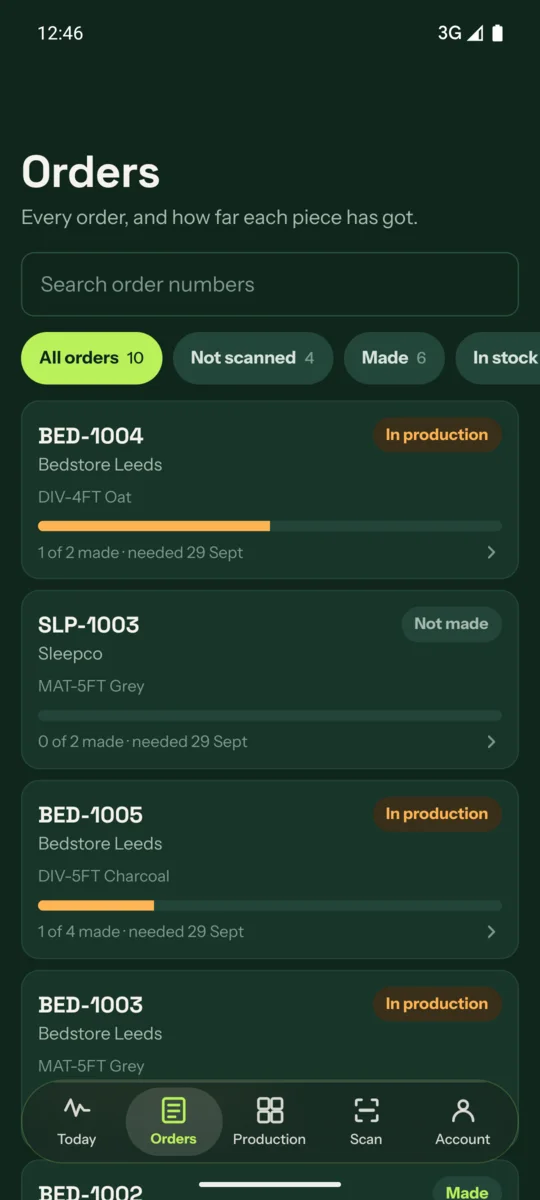
- OrdersEvery order and how far each piece has got.
- ProductionThe daily list, grouped by product and colour.
- ScanTurns the phone into a locked scan station.
- AccountChoose which notifications you get.
The day’s list, by product and colour
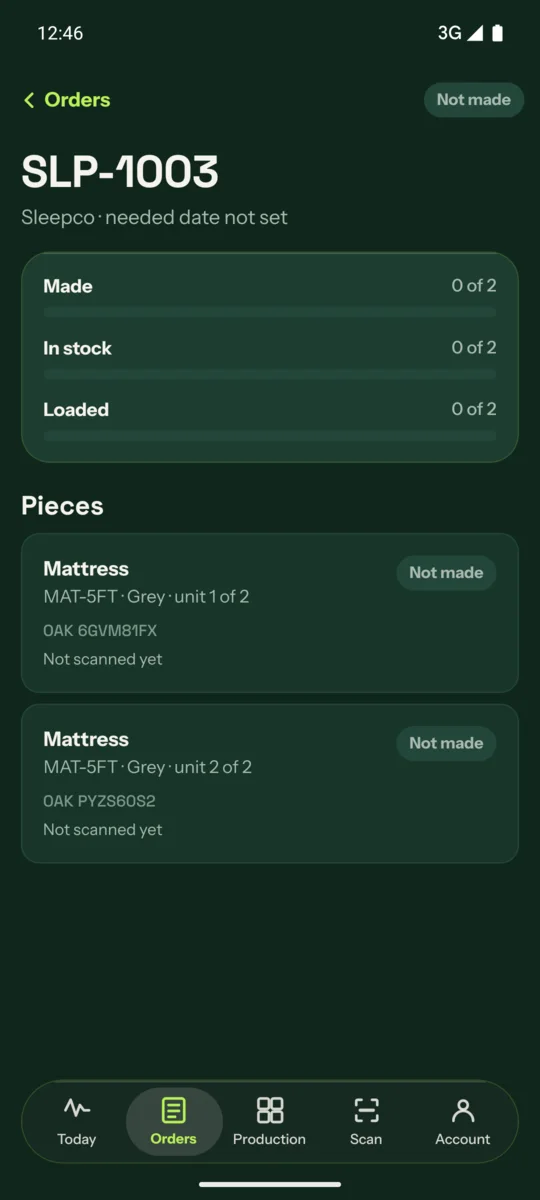
Every piece, tracked to the label
A locked scan station in your pocket
Pick Made, Into stock or Loaded and the phone records every scan as that step, so nobody scans the wrong one.
A free portal and app, so they stop asking where their order is
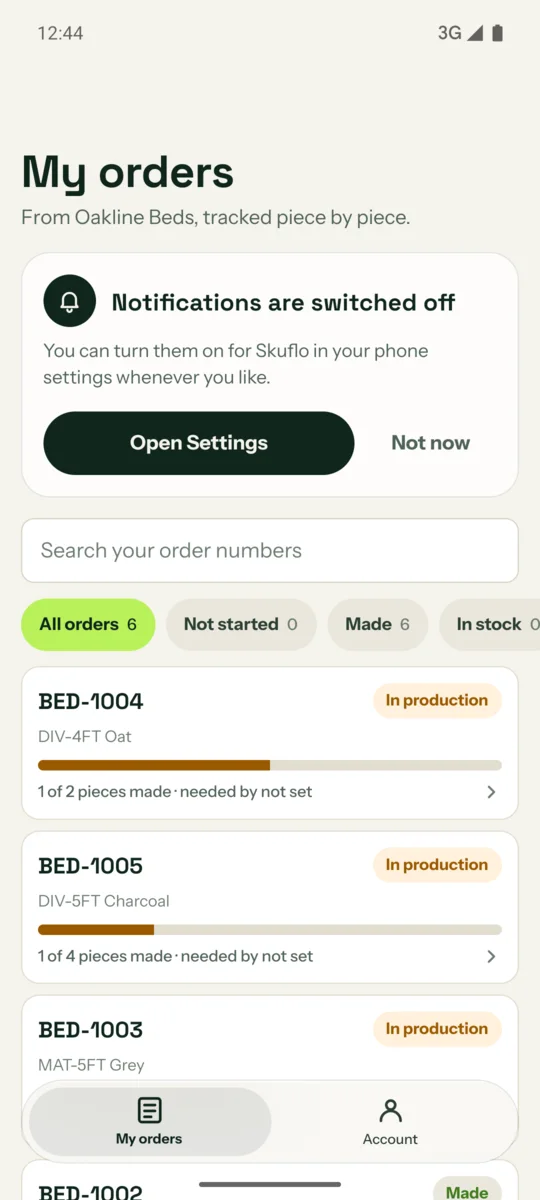
Retailers sign in with your company, choose Retailer, and see only their own orders.
Free for everyone you supply
No licences to hand out. They install the app, sign in with your company and see their own orders, and only theirs.
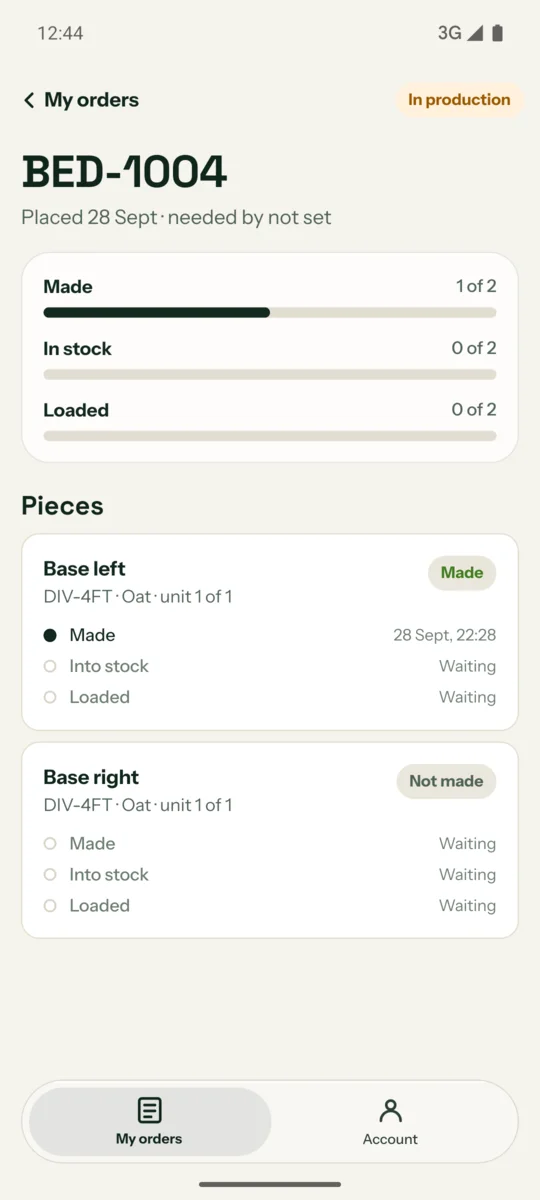
My orders
Each piece shows Made, Into stock and Loaded, with the time it happened.
Live updates
Progress moves the moment your team scans. Nobody has to send an email.
Account
Retailers choose their own notifications.
Know the moment an order moves
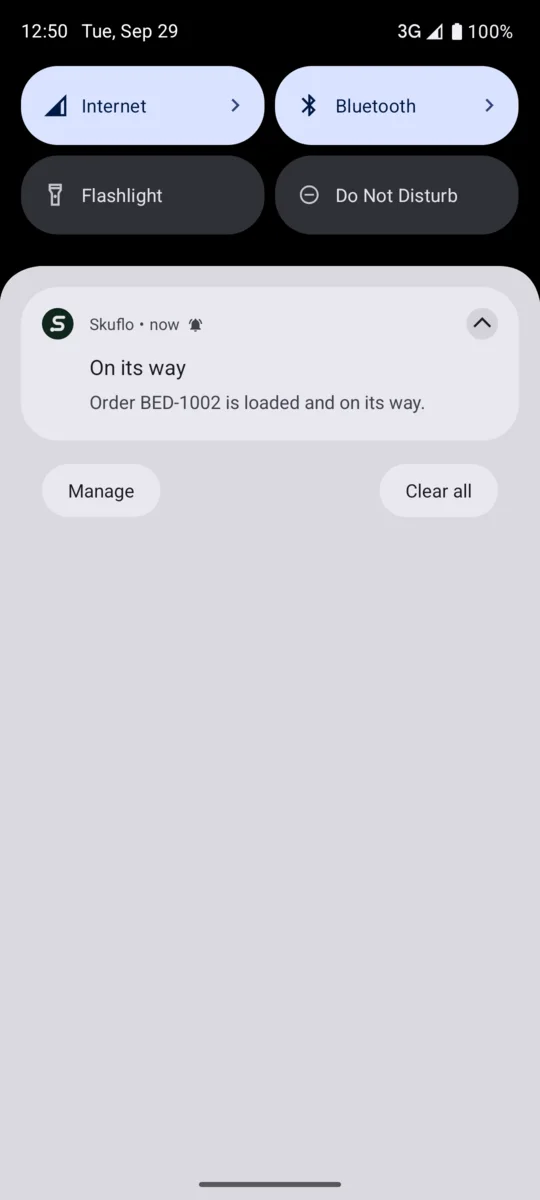
Push notifications for order events, like “Order 1042 is loaded and on its way”. Everyone picks what they hear about.
- New orders
- Order made
- Order on its way
- Part loads
- Each piece made
- Each piece into stock
- Refused scans
- Loads closed
The same app, at home on both
iPhone
Built with Liquid Glass. The tab bar floats over your content and the header turns to glass as you scroll.
Android
A matching floating glass tab bar, with the same tabs, the same order and the same colours.
Keep scanning when the signal drops
Scans wait on the phone, then send themselves
Use the phone camera or a Bluetooth scanner. If the connection goes, scans wait in a queue on the phone and send when it returns.
Scan
Camera or Bluetooth scanner, one label at a time.
Queue
No signal? Scans are kept safe on the phone.
Sync
Back online, everything sends and the order updates.
Good to know
Do retailers pay for the portal?
No. The retailer portal is free, and so is the retailer app.
What do we scan with?
The phone camera, or a Bluetooth scanner connected to the phone.
What is a scan station?
The Scan tab turns a phone into a locked station for one job, such as Made, Into stock or Loaded, so nobody scans the wrong step.
What if the workshop has no signal?
Scans queue on the phone and send when the connection comes back.
Can we choose which notifications we get?
Yes. Open Account and switch each type on or off.
When can we download the apps?
They are coming soon to the App Store and Google Play. Book a demo and we will keep you posted.
See your whole factory floor in one place
Book a demo and we will show you the apps with your own kind of orders.